
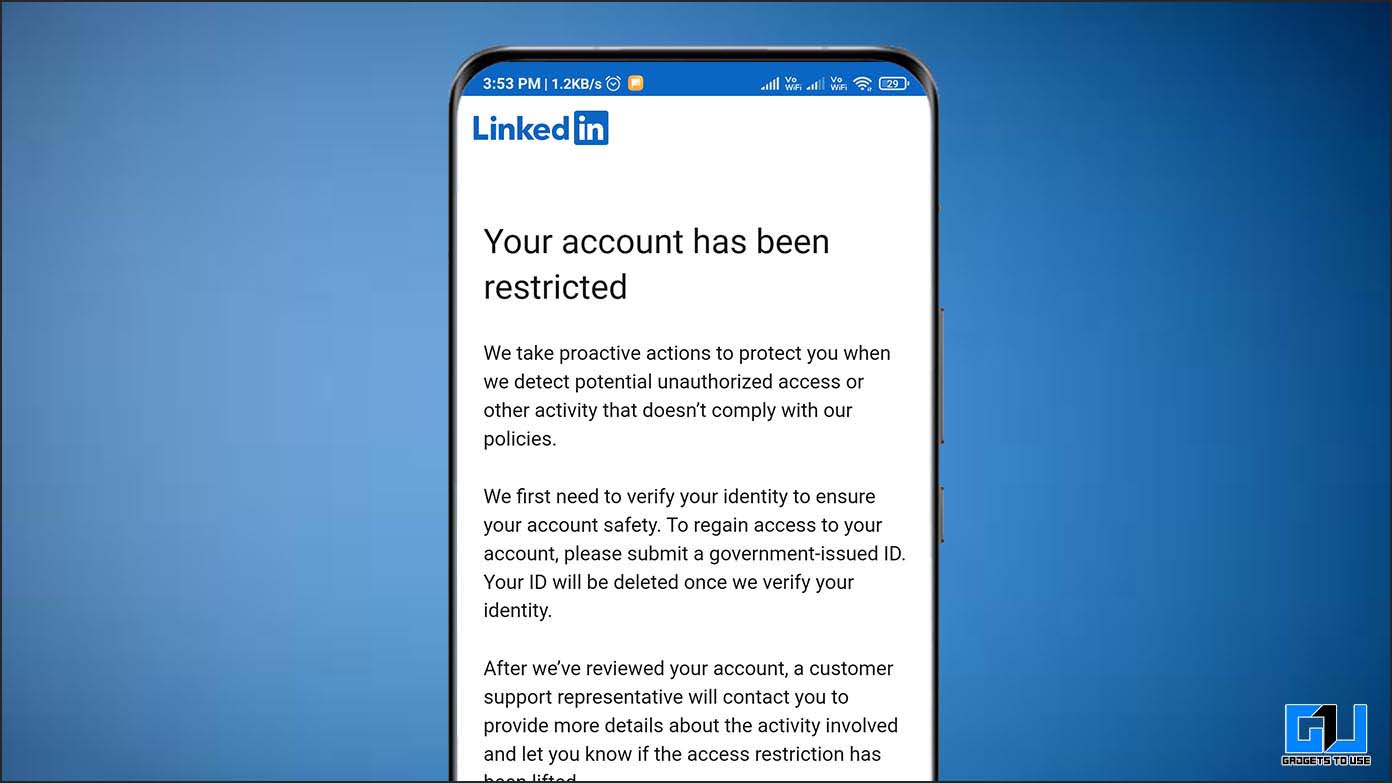
If you have just had a LinkedIn account restricted, the instinct is to appeal immediately, then create a backup profile, then move your outreach to a second account by the afternoon. All three responses make things worse. The first is usually done badly, the second breaches the terms outright, and the third repeats the behaviour that triggered the restriction on a fresh target.
This guide takes the situation in order: identify which restriction you actually have, do the right thing in the first 24 hours, appeal properly, then rebuild over four weeks. It also covers what to do with your pipeline while the account is offline, because that is the part with real commercial cost.
First, identify which LinkedIn account restricted state you have
People say “LinkedIn account restricted” to describe several different states, and the recovery path differs sharply between them. Match the symptoms before acting.
| Restriction | What you see | Typical duration | Severity |
|---|---|---|---|
| Invitation warning | Banner asking you to slow down invitations | Immediate | Low — a final warning |
| Invitation block | Cannot send invites; often follows “I don’t know this person” responses | 1–4 weeks | Moderate |
| Temporary restriction | Login works but features are disabled | 24 hours to 7 days | Moderate |
| Identity verification hold | Prompted for ID or a phone check | Hours to days | Low if genuine |
| Permanent restriction | Profile hidden, login blocked, appeal only route | Indefinite | Severe |
LinkedIn documents the invitation-related states in its guidance on types of restrictions for sending invitations, and separately explains what happens when you have reached the invitation limit. Read whichever applies before you write anything to support, because appealing the wrong thing marks you as someone who did not read the notice.
Why you get a LinkedIn account restricted notice
The triggers are consistent and mostly avoidable. In rough order of how often they cause a LinkedIn account restricted notice:
- Low acceptance rate. The strongest predictor. Sustained acceptance below 15% marks your invitations as unwanted, and volume becomes irrelevant.
- “I don’t know this person” reports. A handful of these will block invitations regardless of your other numbers.
- Activity spikes. Going from 10 actions a day to 80 overnight is a step change no human produces.
- Machine-like patterns. Perfectly even intervals, activity at 3am, or a working day with no pauses.
- Location and device inconsistency. Logging in from your laptop in Manchester while a cloud tool acts from a datacentre elsewhere.
- Profile view velocity. Viewing hundreds of profiles daily reads as scraping.
- Message complaints. Recipients marking messages as spam or harassment.
Underneath all of them sits one fact worth stating plainly: automated access breaches the LinkedIn user agreement. Conservative limits reduce the probability of detection; they do not make the activity permitted. Any vendor promising a guaranteed-safe way to automate is describing a risk level, not a permission, as our review of LinkedIn automation tools and ban risk sets out.
The first 24 hours after a LinkedIn account restricted message
What you do on day one materially changes the outcome of a LinkedIn account restricted case. Work through this in order.
- Disconnect every automation tool immediately. Revoke access, close extensions, stop any cloud session. Continued automated activity during a restriction converts a temporary problem into a permanent one.
- Do not create a second account. Duplicate accounts breach the terms and link back to you through device, IP and network signals. This is the single most common way a recoverable restriction becomes an unrecoverable one.
- Log in normally from your usual device and network. Consistency helps. Do not use a VPN or proxy to check the account.
- Read the actual notice. It usually states the category and duration. Screenshot it, since you will need the wording for an appeal.
- Complete identity verification if offered. It is the fastest route back and is often the whole remedy.
- Withdraw old pending invitations, slowly. If you retain access, clear invites older than three weeks over several days rather than in one action.
Then stop. The strongest instinct is to do something, and the most useful thing available is usually to leave the account alone for several days while behaving like a normal user.
How to appeal properly
Appeals against a LinkedIn account restricted decision are read quickly. Length, indignation and legal language all reduce your chances. Short, specific and accountable works best.
Include four things: who you are and what you use LinkedIn for professionally, an acknowledgement of the likely cause without excuses, what you have changed already, and a clear commitment about future behaviour. Submit once through the official channel at LinkedIn Help and then wait.
“My account was restricted on [date]. I am [name], [role] at [company], and I use LinkedIn to stay in touch with people in [industry]. I believe the restriction followed sending too many connection requests in a short period, and I understand why that pattern looked unusual. I have removed the third-party tool I was using and will keep invitations to a small number per day going forward. I would be grateful if you would review the restriction.”
Three things to avoid. Do not submit multiple appeals, which resets your position in the queue. Do not claim you never used automation if you did, since the activity log contradicts you. And do not threaten legal action or cancellation; neither is persuasive to the team reviewing the case.
The four-week ramp back
Once access returns, treat the account as brand new regardless of how old it is. Its trust score has been reset, and resuming at previous volume is the most reliable way to earn a permanent restriction.
| Week | Invitations | Other activity | Automation |
|---|---|---|---|
| Week 1 | None | Browse, comment, react, message existing contacts | None |
| Week 2 | 3–5 per day, manual, warm contacts only | Post once, engage daily | None |
| Week 3 | 8–10 per day | Reply to every accepted invite | None |
| Week 4 | 12–15 per day | Normal engagement | Reintroduce cautiously, if at all |
Week one with zero invitations is not optional, and it is the step teams skip. The account needs a period of ordinary use for the platform to observe before it sees outbound activity again.
Target warm contacts first in week two, since people who know you accept reliably and rebuild your acceptance ratio quickly. Only move to cold prospects once the ratio is comfortably above 30%. After that, hold within normal safe volumes as covered in our guide to the LinkedIn connection request limit.
What to do with your pipeline while the account is down
A restriction lasting three weeks removes roughly three weeks of top-of-funnel from a LinkedIn-dependent team. That gap appears in closed business a quarter later, which is why the recovery plan needs a commercial component and not just an account one.
- Move the active list to email and phone. The contacts are still valid; only one channel is unavailable. Verified direct-dial phone numbers reach the same people without touching LinkedIn.
- Do not spike email volume to compensate. Sending three times your usual volume from the same domain trades a LinkedIn problem for a deliverability one. Read cold email deliverability before increasing sends.
- Work the accepted connections you already have. Messaging existing first-degree contacts is usually still available and is entirely safe activity.
- Use the time on list quality. Poor targeting caused the restriction. Rebuilding the list properly addresses the cause rather than the symptom.
The broader lesson is structural. A team that loses a fifth of its pipeline when one account is restricted has a concentration problem, and the fix is running LinkedIn as one channel inside a multichannel outreach sequence rather than as the whole motion.
Staying unrestricted afterwards
Prevention is mostly a matter of watching four numbers and reacting to them rather than to warnings.
| Metric | Healthy | Act when |
|---|---|---|
| Acceptance rate | Above 30% | Below 20%, cut volume by a third |
| Pending invitations | Under 200 | Above 400, withdraw gradually |
| Daily invitations | 15–25 | Any day above 30 without a ramp |
| Profile views per invite | 2–4 | Above 10, reduce browsing automation |
Acceptance rate is the one to watch weekly. It leads every other indicator, and improving it is mostly a targeting exercise. Tighter lists built through better Boolean and natural language search and a well-judged LinkedIn connection request message will do more for account safety than any throttle setting.
A team playbook for a LinkedIn account restricted mid-campaign
For an individual, a LinkedIn account restricted notice is an inconvenience. For a sales team, it is an operational event with a territory attached, and it needs a defined response rather than improvisation.
- Pause every account, not just the restricted one. If one rep triggered enforcement, the others are running similar patterns on similar lists. Halt LinkedIn activity team-wide for 48 hours and review.
- Reassign the live conversations. Prospects mid-conversation cannot be left waiting for an appeal to resolve. Move them to email or phone under a named colleague, with an honest explanation rather than silence.
- Audit before restarting. Check acceptance rate per account, daily volumes for the previous fortnight, and whether copy is identical across seats. Fix what you find before anyone resumes.
- Do not reassign the profile. Handing a restricted account to another person to operate compounds the terms breach and puts a second identity at risk.
- Record it. Log the date, the restriction type, the preceding volumes and the acceptance rate. After two or three incidents the pattern is usually obvious, and it is usually volume.
Be straightforward with the affected rep. Restrictions are frequently the result of targets that could not be met within safe limits, which makes them a management problem rather than a discipline one. A rep punished for a restriction will simply hide the next warning banner.
What the restriction is really telling you
It is worth sitting with the underlying signal rather than treating recovery as the whole task. A LinkedIn account restricted notice arrives because recipients did not want the invitations. That is not an arbitrary judgement; it is aggregated feedback from your market.
An account restricted at 12% acceptance is telling you that seven or eight out of every ten people you approached saw no reason to know you. No throttle setting fixes that, and neither does a second account. Better targeting does, and so does a reason for making contact that exists independently of your quota.
Teams that build outreach around real events, using approaches like signal-based selling, rarely encounter restrictions at all. Not because they are more careful with limits, but because they send fewer invitations to people who are pleased to receive them.
Frequently asked questions about a restricted LinkedIn account
How long does a LinkedIn account restricted state last?
Invitation blocks typically run one to four weeks. Temporary feature restrictions usually clear within a week. Permanent restrictions are indefinite and only reversible through appeal, which succeeds sometimes but not reliably.
Can I use a second account while I wait?
No. Duplicate accounts breach the terms and are linked through device and network signals. It is the most common way people turn a temporary restriction into a permanent ban. Use email and phone instead.
Will appealing make it worse?
A single, honest, concise appeal will not. Repeated appeals, aggressive language or demonstrably false claims will. Submit once and wait for a response before doing anything else.
Does Premium or Sales Navigator protect the account?
No. Paid subscriptions do not exempt accounts from enforcement. They give you better search and InMail credits, but restriction rules apply identically, and you will continue paying for a seat you cannot use.
Is it safe to automate again after recovery?
A recovered account carries less tolerance than it did before, and automation remains outside LinkedIn’s terms either way. If the account matters commercially, the honest recommendation is manual invitations at modest volume, with the automated scale living in email and phone where it is permitted.
Treat the restriction as information
Having a LinkedIn account restricted is nearly always a symptom of sending too many invitations to people with too little reason to accept them. Recovery is a matter of patience, a short honest appeal and a slow ramp. Not repeating it is a matter of targeting, and of not putting the whole pipeline on one platform you do not control.
ZenBee keeps LinkedIn inside a wider sequence with safe per-account limits, so a restriction costs you one channel rather than your quarter. Request a demo or explore ZenBee for sales teams.